
Switching legal software
Switch case management systems with confidence
Moving case management systems can feel like a big operational decision. Your firm needs to protect live matters, data, workflows, reporting, client communication and day-to-day work.
InTouch helps growing law firms make the move with a clearer plan, hand-held onboarding and continuous support from people who understand legal case management.
Designed for growing law firms
Hands-on onboarding
Workflow setup support
Client portal and integrations
Support before and after go-live
When your current system starts holding the firm back
Firms usually start looking into a new case management system when the same problems keep recurring, such as:
Slow support
Slow response times, unresolved issues and limited help after go-live leave firms stuck with a system they cannot rely on.
Poor process fit
Some systems force teams into rigid ways of working that no longer reflect how the firm wants to run matters.
Disconnected tools
When integrations are weak, staff duplicate work across systems, rely on workarounds and piece information together manually.
Pricing frustration
Unexpected price rises, inflexible terms, paid add-ons and new features released at extra cost can all push a firm to reassess its options.
Outdated setup
Older or on-premise systems can make remote access, maintenance, flexibility and security harder to manage.
Unmet expectations
Clients increasingly expect clearer updates, easier document sharing and more convenient ways to communicate and collaborate.
If these issues are recurring, start planning the move before the system becomes a bigger operational risk.
Your route from old system to new
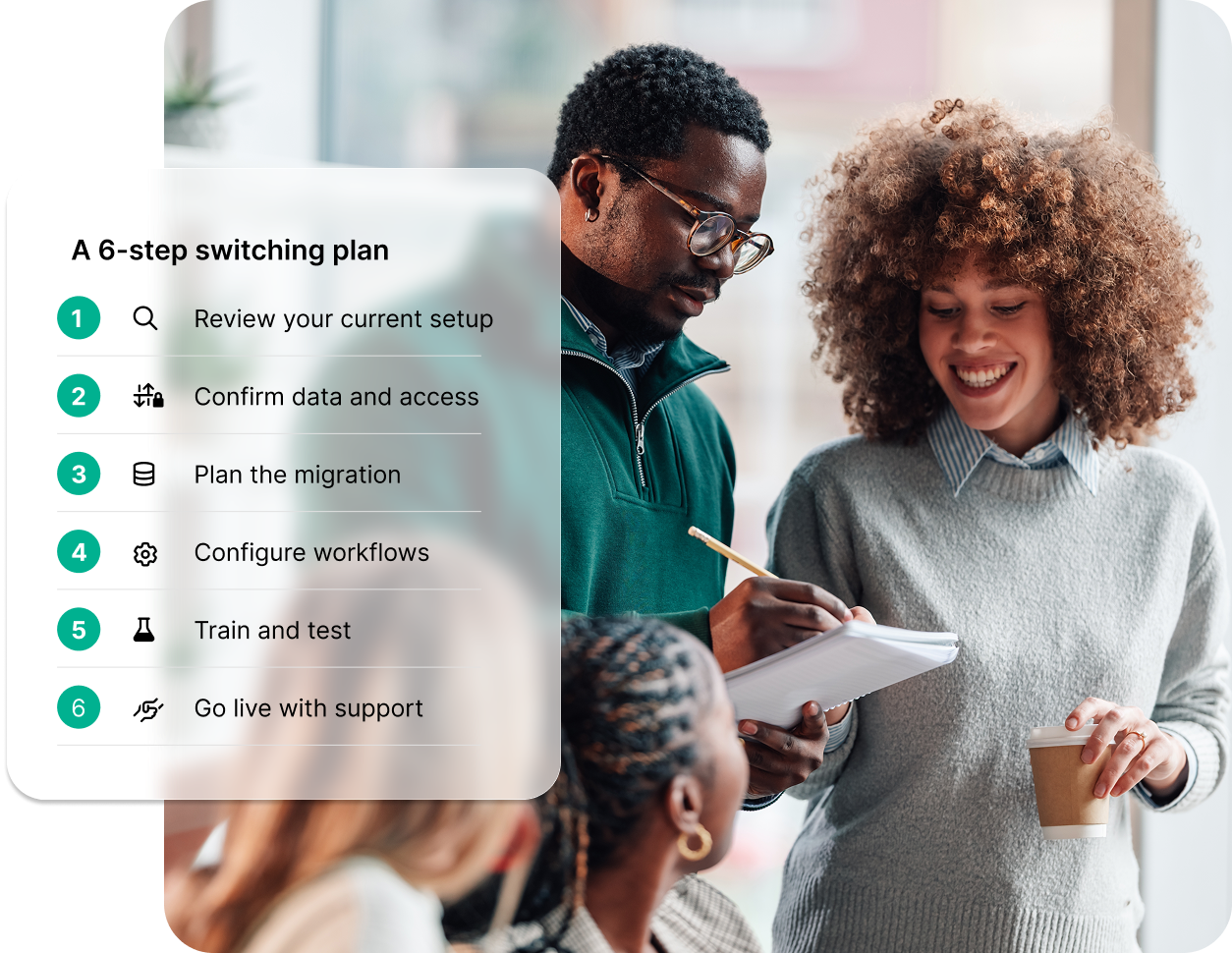
1
Start with a focused demo
Use the demo to see how the system would handle your firm’s real matter types, workflows, documents, reporting and client communication.
2
Speak to your current provider
Confirm notice periods, renewal dates, export options, costs, data access and timescales with your current provider before setting a switch timeline.
3
Decide what needs to move
Review each type of data and decide whether it should be migrated, archived, kept read-only or rebuilt in the new system.
4
Configure the new system
Set up the new system around your agreed workflows, templates, permissions, integrations, reporting and client communication before staff start using it live.
5
Train the team and test real scenarios
Train staff using realistic examples from their day-to-day work, then test the process properly before launch.
6
Go live, support users and refine
Launch in a controlled way, support staff through early use, and keep refining the system as feedback comes in.
Start with conveyancing
If moving the whole firm at once feels too disruptive, start with one high-volume department first. A Conveyancing-first rollout gives your firm a controlled way to:
Prove the value of better case management in one process-led team
Improve visibility, client updates, tasks, documents, searches and reporting
Build confidence before rolling InTouch out across other departments
Use what you learn in Conveyancing to shape the next stage of firm-wide change

Managing the changeover between providers
The crossover between your current provider and your new one can make or break the switch. Clear timings, ownership and escalation routes reduce delays, confusion and unnecessary disruption.
Contract timing and notice
Check renewal dates, notice periods and any changes in service once notice is given. Time the switch so you do not pay for more overlap than necessary, but also do not lose access too early.
Live matter cut-off
Set a clear rule for which matters move into the new system and which stay in the old one. Avoid leaving teams to make case-by-case decisions without guidance.
Data export
Agree early how your data will be exported, what format it will be supplied in, what the export includes and whether any fees apply.
Third-party integrations
Review connected tools early. Decide which integrations need to be ready at go-live, which can follow later and which are no longer needed.
Historic data access
If you are not moving everything, decide how the firm will access older matters and documents after go-live.
Ownership and escalation
Give every task a named owner. Give every issue a clear escalation route. That keeps decisions moving and avoids the firm being stuck between two providers.
Issue management
Keep a shared issue log during the changeover. Record the issue, owner, priority, next action and target resolution. This creates accountability and prevents important details being lost in email threads.
Questions to ask your current software provider before you switch
Your current provider controls the export and access to your existing system, so these questions should be asked early.
-
Confirm whether the export includes matters, contacts, documents, emails, notes, tasks, milestones, custom fields, audit history, financial data and user information.
-
Identify any information that cannot be moved, or that can only be exported in a limited format.
-
Ask whether the data will be supplied as CSV, XML, SQL backup, document folders, zipped files or another format.
-
Check whether documents, email attachments and correspondence will retain their folder structure, naming conventions, dates and matter references.
-
Get a realistic timeline and find out what your firm needs to provide before the export can begin.
-
Ask how the provider checks the export, how missing data is handled and whether you will receive any export report.
-
Confirm all costs in writing, including export fees, archive access, read-only licences and any support charges.
-
Some providers reduce support after notice. Confirm what help will remain available until the switch is complete.

Why switching is more controlled with InTouch
InTouch is built for law firms that need a clear path from disconnected or restrictive systems to a single connected case management platform.
The platform supports multi-practice case management, configurable workflows, client portals, online forms, e-signatures, reporting, integrations, and secure cloud access.
Hands-on support
Switching systems raises practical questions. InTouch works closely with firms during onboarding, setup and training so your team has support around the move, not just access to software.
Better client experience
The Client Portal and mobile app help clients and stakeholders view updates, complete forms, access documents and stay informed without relying on repeated calls and emails.
Flexible workflows
Build stages, tasks, templates, reminders and processes around the way your firm handles different matter types.
Clear pricing
InTouch publishes transparent per-user plans, helping firms understand what is included before they commit.
Smarter integrations
InTouch integrates with tools including Microsoft Word, Outlook, Xero, tmGroup, InfoTrack and Thirdfort, with APIs and webhooks available for broader automation and integration work.
Built-in security
InTouch is hosted on Microsoft Azure and offers security features, including ISO 27001-aligned data centers, encryption, permission controls, audit trails, 2FA, cloud storage, and backups.
Proof that a switch can pay off
A successful switch is easier to picture when you can see it in practice. InTouch customer stories show how firms have moved away from slow, disconnected or restrictive systems and created more efficient ways to work.
Evolve Law
Evolve moved away from a slow and difficult system. After switching to InTouch, the firm reported a clear reduction in calls and emails, less re-keying through integrations and lower monthly costs compared with its previous setup.
MOV8 Real Estate
MOV8 wanted a modern, cloud-based platform with strong integrations, APIs and webhooks. After moving to InTouch, the firm reported faster quoting, less manual data capture, better reporting and a clearer single source of truth.
Pinnacle Law
“When considering what mattered most for us, I knew how important it was to be able to have a smooth and supported transition. InTouch were very confident in terms of data migration and systems training for the staff, so that was really the foundation that made us really feel comfortable in making that switch.”
FAQs for InTouch Switches
-
No. Many firms move in stages, either by department, matter type or process. The important thing is to agree the scope before the project starts, so everyone knows what is moving and what is staying where.
-
Live matters need a clear plan. Decide which matters will move into the new system, which will remain in the old system, and what cut-off date the firm will use.
-
Plan for matters, contacts, documents, emails, notes, tasks, templates, reports, financial information and historic records. Not all data needs to be handled in the same way, so decide what should be migrated, archived or kept in read-only access.
-
It depends on the size of the firm, the amount of data, the level of configuration and the number of teams involved. A focused rollout for one department is usually easier to plan than a full firm-wide move.
-
Some firms run both systems for a short period while data, workflows and access are checked. This can reduce risk, but it needs clear rules so staff know which system to use and when.
-
Give staff clear timelines, practical training and a chance to test real scenarios before go-live. It also helps to nominate internal super users who can answer questions and gather feedback.
-
Ask about notice periods, renewal dates, data export formats, export costs, timescales and access to historic data. Get the key details confirmed in writing before setting your go-live date.
-
The first few weeks should be used to support users, track issues and refine the setup. A successful switch continues after launch, as the firm learns what needs adjusting in day-to-day use.