

InTouch for Governance & Compliance
Keep every matter controlled, traceable and easier to review
InTouch gives your firm one connected place to build required checks into workflows, keep a time-stamped record of actions and changes, control access to sensitive information and report on live matter data.

Case Study
Better data and clearer oversight from one case system
MOV8 Real Estate wanted its case management system to act as the single source of truth while keeping external platforms updated.
With InTouch, the firm can complete KYC within the case system, collect information through tailored online forms, review submitted data before it updates a matter and export data daily for custom reporting.
KYC in the case system
KYC can be completed within InTouch rather than in a separate system.
Tailored source-of-funds forms
Conditional logic adapts the questions to the complexity of the transaction.
More reliable matter data
Submitted information can be reviewed before it updates the matter.
Daily data for reporting
API exports support custom reports used by the business.
Build the right checks into every matter
InTouch helps firms turn internal controls into clear workflow steps. Custom Workflows can include tasks, deadlines, reminders, Online Forms, eSignatures and AML checks through integrated providers, so the right checks sit inside the matter process.
Different matter types can follow different workflows. Conditional tasks can appear only where relevant, while supervisor permissions can restrict specific tasks to the right users.
This helps your firm build in:
Client due diligence and AML tasks
Risk assessment forms
Proof-of-funds and instruction forms
Supervisor-controlled tasks
Completion and post-completion checklists
Matter closure and archiving steps

Keep a clear, time-stamped matter history
InTouch keeps all matter-related work together, including documents, emails, SMS messages, forms, notes, and phone calls.
Matter History gives your team a clear audit trail of key activity, showing what changed, when it changed, and who made the change. It can record updates to matter state, tasks, custom fields, form submissions, files, locks and exports.
When a review, handover or query comes up, your team can see how the matter has progressed from the matter record, rather than piecing it together from inboxes, folders or spreadsheets.
Control access to sensitive information
InTouch helps your firm control who can see, change and share matter information.
User Permissions define what each staff member can access and amend. Matter locking can also restrict access based on team membership and permission settings.
For clients and stakeholders, Client Portal settings control which tasks, documents and notes are visible, so your firm can share the right information without exposing the wider matter record.
InTouch supports:
Two-factor authentication
New-device alerts
Proof-of-funds and instruction forms
Login activity filtering by user or IP address
CSV export for further review or record keeping
User Login Records
Security is supported by Microsoft Azure hosting, encryption in transit and at rest, regional redundancy and independent penetration testing.
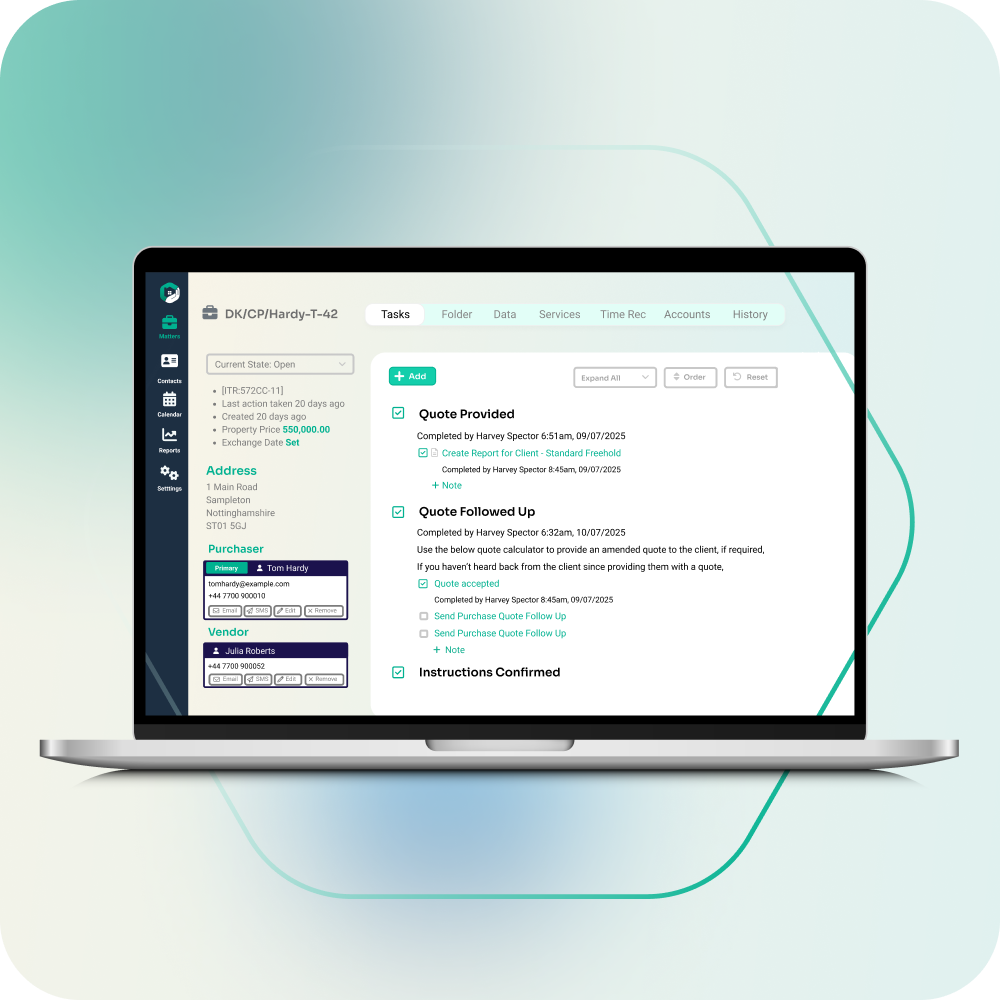
Make compliance reviews easy
InTouch reporting uses the same database as your live matters, so reports update as actions are completed.
Managers can report by matter state, fee earner, team, completed or outstanding tasks, and custom matter data. You can save frequently used reports for repeat use and export them to CSV when you need further analysis.
A configurable traffic-light view can also highlight matters that require attention based on your rules or manual alerts. This gives compliance leads, practice managers and heads of department a clearer way to identify missing steps, review progress and focus attention where it is needed.

Support that helps your controls take shape
InTouch helps with the setup behind clearer governance: bespoke workflows, documents and precedents, online forms, Client Portal configuration, and migration from your previous system.
During onboarding, your nominated Super User receives one-to-one training using a train-the-trainer approach. This keeps knowledge in-house and makes it easier to manage changes as your policies and processes evolve.
Support can help with:
Building bespoke case management workflows
Setting up documents and precedents
Creating online forms
Configuring the online Client Portal
Migration from your previous system
One-to-one Super User training