
Switch Legal Case Management Software

Switch without switching off business-as-usual

Leaving your current case management system is not something your firm should have to squeeze into the final few weeks of a contract.

With InTouch, you can keep your existing platform live while we help plan your move, configure your new setup, support the migration and train your team before your current contract ends.

Eligible firms pay only for agreed professional services during the overlap period, rather than starting a full InTouch subscription while your existing system is still in use*.

*Subject to eligibility criteria and agreed project scope.

Is your current system still right for your firm?

If you are thinking about switching case management software, there is probably a reason.

Ask yourself:

  • Are workflows still right for the way your firm works today?

  • Does your team get the support they need when something needs fixing or changing?

  • Can partners and managers see what is happening across matters, teams and departments?

  • Are clients, referrers or other stakeholders still chasing for updates?

  • Are people relying on manual workarounds because the system does not quite fit?

  • Is your contract renewal getting closer, but the switch feels too disruptive?

If a few of these feel familiar, it may be time to start planning the move properly, before renewal pressure makes the decision harder.
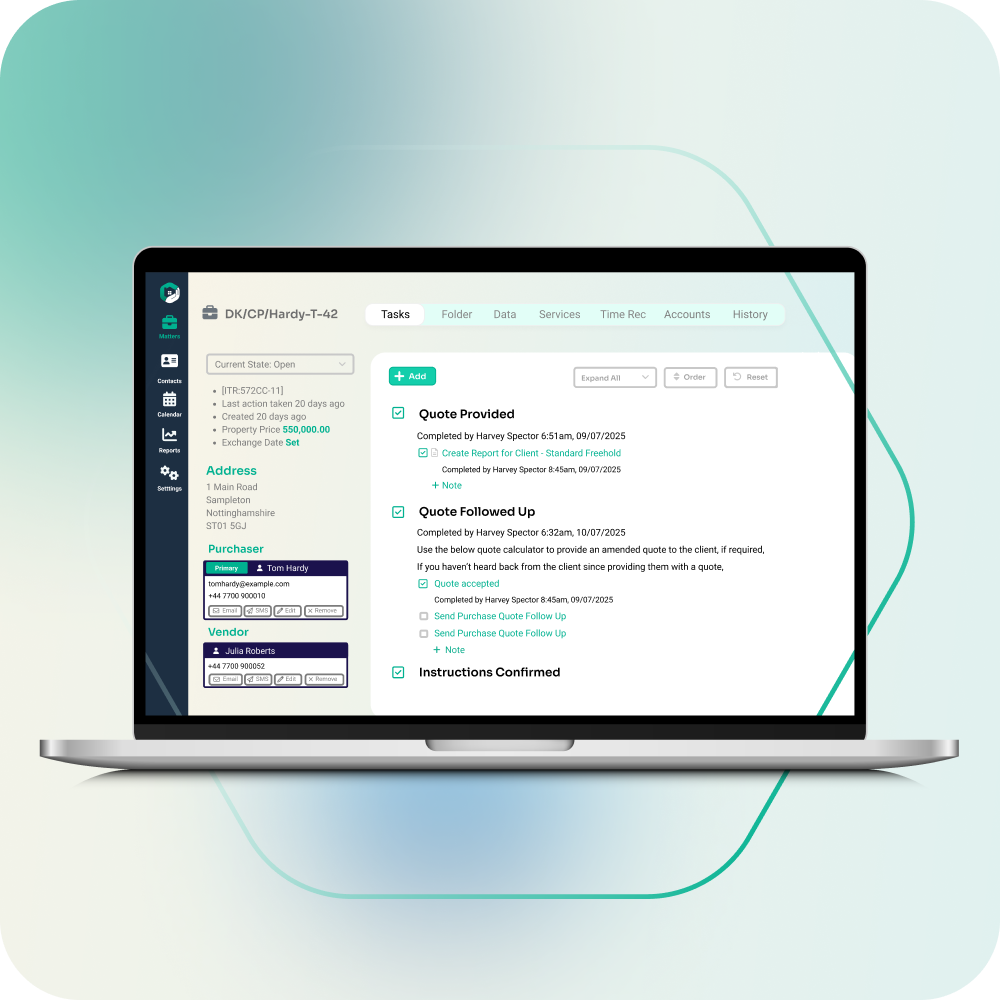

Why firms delay switching

Switching case management software is not a small job. Anyone who pretends it is probably has not had to live with the consequences of a badly planned move.

There are plenty of moving parts:

  • live matters still need to keep moving

  • historic data needs to be reviewed and handled properly

  • users, teams, roles and permissions need setting up

  • documents, templates, forms and workflows need preparing

  • integrations need to be checked and connected

  • reporting needs to work for partners and managers

  • people need time to learn the system properly

  • renewal dates and notice periods need careful timing

That is why firms often stay with a system longer than they should. InTouch helps you start earlier, while your current system stays live, so the move can be planned properly before go-live.

Plan your switch around your current contract

You do not need to wait for renewal pressure before planning your move.

If your current case management system no longer suits the way your firm works, InTouch can help you prepare the switch while your existing platform stays live.

The overlap period gives your firm time to make good decisions about workflows, data, training and go-live. Instead of trying to move everything at the last moment, you can use that time to get InTouch ready for the way your teams actually work.

For eligible firms, this also means you do not need to pay for two full software subscriptions during the overlap period. You only pay for the agreed professional services needed to prepare your move.

Case Study

See how Willis Conveyancing moved to InTouch

Willis Conveyancing moved to InTouch after finding previous systems clunky, complex and slower than the team needed. The firm wanted a smoother setup, faster access to information and a system that could support more work without adding extra headcount.

With InTouch, Willis Conveyancing has been able to:

  • move across without disruption

  • make file opening “50× easier”

  • reduce double-handling with automated data entry

  • handle more matters without increasing headcount

  • lower day-to-day admin and operating overheads

  • give the team more time to focus on clients

Implementation was straightforward, training was clear, and the team had responsive support throughout the move.

Read the Willis Conveyancing story

What happens during the overlap period? 


1. We understand your current setup

We look at how your firm works today, including practice areas, matter types, users, teams, workflows, templates, data, integrations and key contract dates.

At this stage, we can also identify who inside your firm should be involved in the move, including a nominated Super User who can learn the system in more detail and help support the wider team.

The aim is to understand what needs to move, what needs to improve and what your firm wants from the new system.

2. We configure InTouch around your firm

Your InTouch setup is built around the way your firm manages matters.

That can include workflows, matter stages, automated tasks, forms, document templates, client communications, reporting views and user permissions across different teams or departments.

This is also where your Super User can start to understand how the setup works, so knowledge begins to build inside the firm before go-live.

3. We plan the migration carefully

Together, we agree what should move into InTouch, what needs testing and what your users need access to before go-live.

This makes the migration clearer, cleaner and easier to manage. It also gives your team time to ask practical questions about live matters, historic data, documents and everyday access before the switch happens.

4. We train your team before the switch

Good adoption does not happen by accident.

Your users get time to learn the system before they are expected to rely on it. Training can be shaped around different roles, teams and practice areas, so people understand how InTouch supports their day-to-day work.

Your nominated Super User can receive more focused training too, giving the firm an internal point of contact who understands the system and can help colleagues before, during and after go-live.

5. We prepare for go-live

Before your firm moves across, there is time to test, refine and check the setup.

Your team can raise questions, review workflows, confirm data requirements and prepare for the change while business continues in your current system.

By the time you go live, your firm is not starting from scratch. The system has been configured, key users have had time to learn it, and your wider team has had a clearer route into the change.

For firms that cannot afford a messy switch

This approach is designed for law firms that know they need to move, but need the move to be planned properly.

It is especially useful if your firm is:

  • approaching a contract renewal

  • unhappy with the support from your current provider

  • outgrowing rigid workflows

  • struggling with poor adoption

  • relying on too many manual workarounds

  • lacking clear reporting across teams or departments

  • expanding into new practice areas

  • trying to improve client, referrer or stakeholder communication

  • concerned about moving data and live matters safely

  • looking for a more flexible, multi-practice system

Why move to InTouch?

InTouch is an award-winning, multi-practice case management software for growing law firms. It helps teams organise work, reduce admin, improve visibility and keep matters moving across departments. 

Automate the admin that slows people down

Reduce repetitive work across quotes, forms, documents, updates, tasks and matter workflows, so your team can spend more time progressing cases.


Build workflows around the way your firm works

Create workflows for different practice areas, matter types and teams. As your firm changes, InTouch can adapt with you.


Keep clients and stakeholders better informed

Use portals, notifications and shared matter information to keep clients, referrers and other stakeholders updated without relying on constant chasing.


Connect the tools your firm already uses

Bring more of your day-to-day systems together, including documents, accounts, ID checks, searches, eSignatures and other important integrations.


See what is happening across the firm

Give partners and managers clearer visibility of workload, progress and performance, so decisions are based on live matter information rather than guesswork.


Work securely from anywhere

InTouch is cloud-based, giving your team access to the case information they need whether they are in the office, at home or working across locations.


Get support from people who know the system

The quality of onboarding and support is one of the main reasons firms move to InTouch. You get help from real people who understand both the software and the pressures of running a busy law firm.